HIREPATH
Bringing transparency to interview scheduling
Two features that gave recruiters visibility into what they were sending and why availability changed — before and after the invite.
COMPANY
Hirepath*
INDUSTRY
HR Tech
Enterprise SaaS
Web app
expertise
UI/UX Design
Informational architecture
Systems thinking
TEAM

— Product Manager

— UX Designer
Adrian Burlau — Product Designer
YEAR
2025- 2026
Disclaimer: This project is under NDA, the screens are recreations for portfolio purposes not the shipped product, but reflective of the actual design direction and solutions I developed.
Overview
Scheduling interviews is one of the most operationally intensive parts of the hiring process. At a large HR tech platform serving global enterprises, the scheduling product sits at the centre of that workflow, connecting recruiters, interviewers, and candidates across a system handling thousands of interviews daily.
I joined the scheduling team as one of two product designers, working alongside a product manager, engineers, and QA. This case study covers two features that directly improved recruiter visibility and confidence during the scheduling process.
Problem
Recruiters were dealing with two recurring blind spots.
Before sending an invite, they had no way of knowing how many slots the candidate would actually see, or whether that number was enough. After sending, when a candidate came back saying there were no slots left, recruiters couldn't verify it or understand why. Slots disappear for real reasons: calendar changes, interview limits, other bookings - but none of that was visible.
Both problems had the same root: the system had the information, recruiters didn't.
SOLUTION
Transparency banner
When creating a scheduling invite, recruiters choose between date range, where the system generates slots automatically or specific slots, where they pick manually. Either way, they had no feedback on what they were actually sending before the candidate received it.
The banner sits at the bottom of the availability step and updates in real time as the recruiter configures their settings. It shows the slot count, the availability level, and a short explanation of what that means for the candidate.
The availability levels aren't tied to fixed slot counts. The system estimates required capacity based on role type, seniority, patterns, scheduling window and existing data, then compares available slots against that estimate. The same slot count can be excellent coverage for a senior niche role and critically low for a high-volume position. A flat number would mislead in both cases.
Availability is not a count. It's a confidence signal adapted to context.
Slot debug tool
Even with better pre-send visibility, recruiters still needed a way to understand what happened after an invite went out.
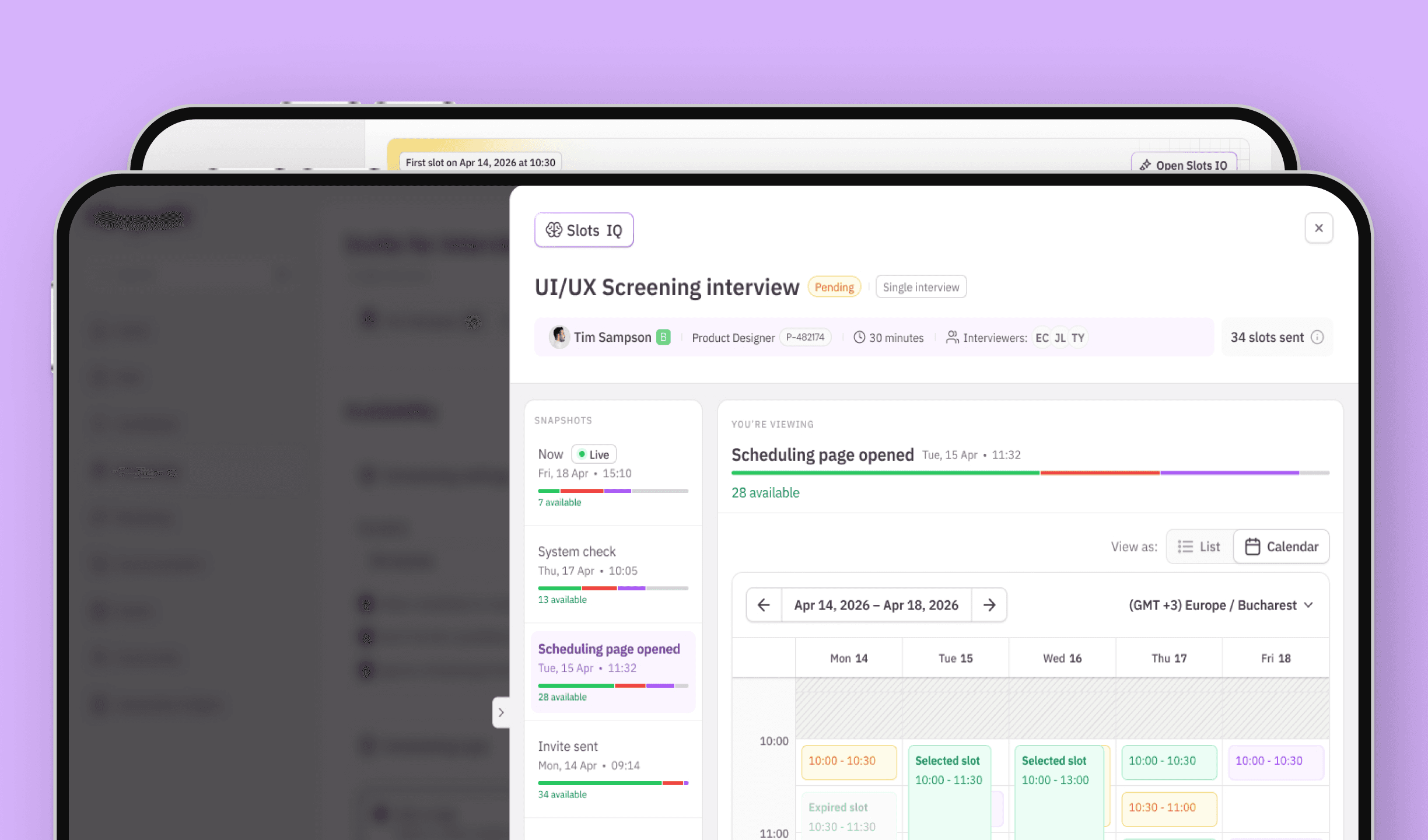
Slots IQ lets recruiters track the full slot progression for any sent interview. It's built around snapshots, moments when the system checks slot availability mapped to key points in the invite lifecycle. The idea is straightforward: a recruiter's first question is never "show me what changed", it's "it was fine when I sent it, what happened?" Each snapshot gives them a complete picture of that moment without having to piece it together.
Clicking into a slot opens a detail panel with a per-interviewer breakdown and the specific reason each one is unavailable: limit reached, calendar conflict, or otherwise. No guessing, no follow-up needed.
The availability level indicator from the banner sits at the bottom of each snapshot, using the same scale and language. If you understand what Low means before sending, you understand it here too.
Learnings
Designing for flow and designing for recovery are fundamentally different problems, even when they're solving the same underlying issue. The banner needed to be instant and unobtrusive. Slots IQ needed to be complete enough that a recruiter never has to open it twice for the same problem.
The availability level system also reinforced something about the gap between simple and simplistic. A raw slot count is simple. A signal adapted to the actual hiring context is harder to build, but far more useful to the person making the decision.
CONSTRAINTS
We worked within an established product and design system with a defined scope. Not everything made it through the internal review process. A feature I proposed: Slot Insights, a panel surfacing the main scheduling blockers at a glance didn't move forward. Looking back, I framed it around the design concept rather than the specific recruiter problem it solved. That's something I'd approach differently now.
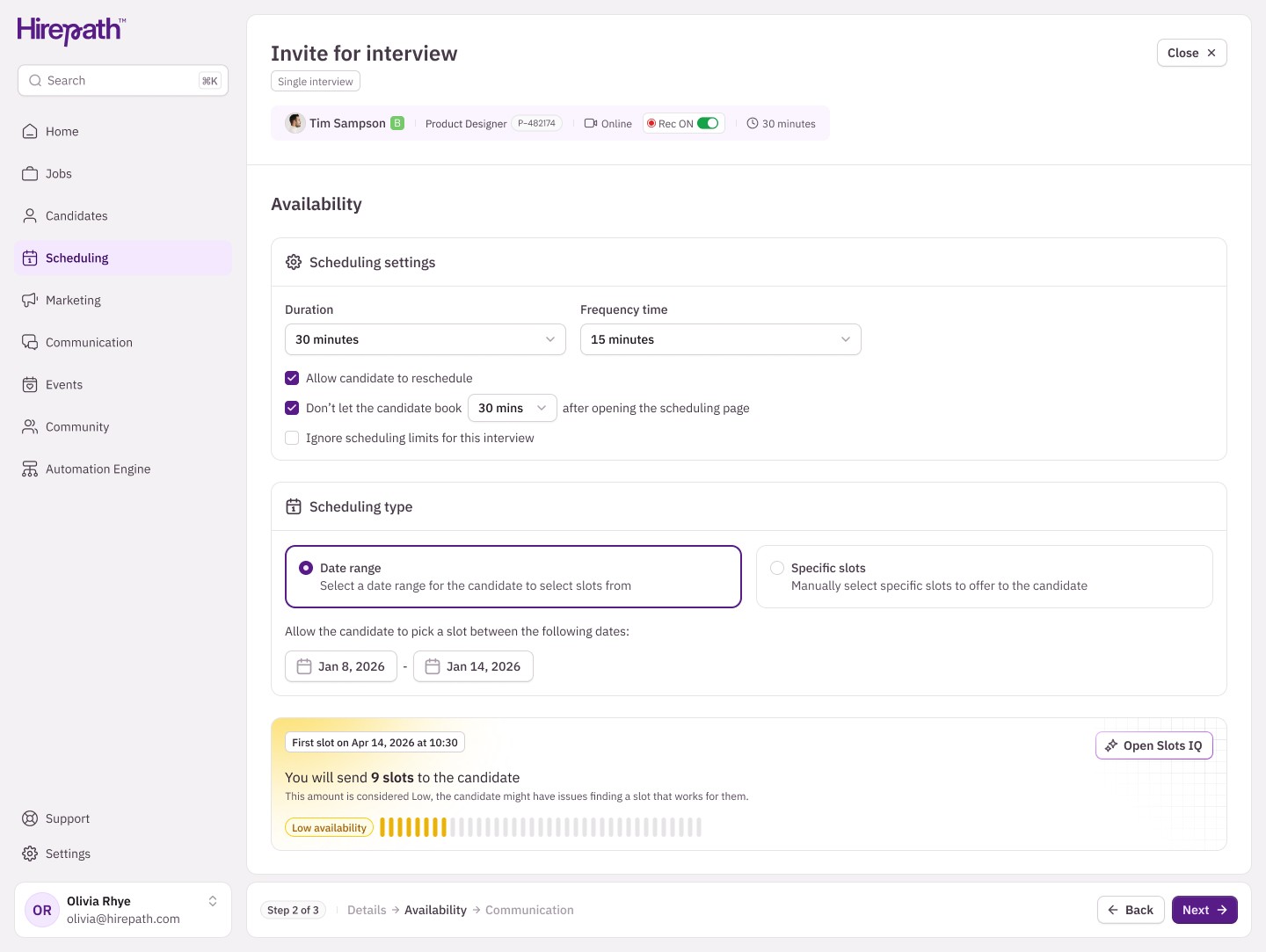
Date range view with low availability — banner updating in real time as the recruiter configures the invite
Video presentation
Banner responding to slot selection across availability levels, from no slots to excellent
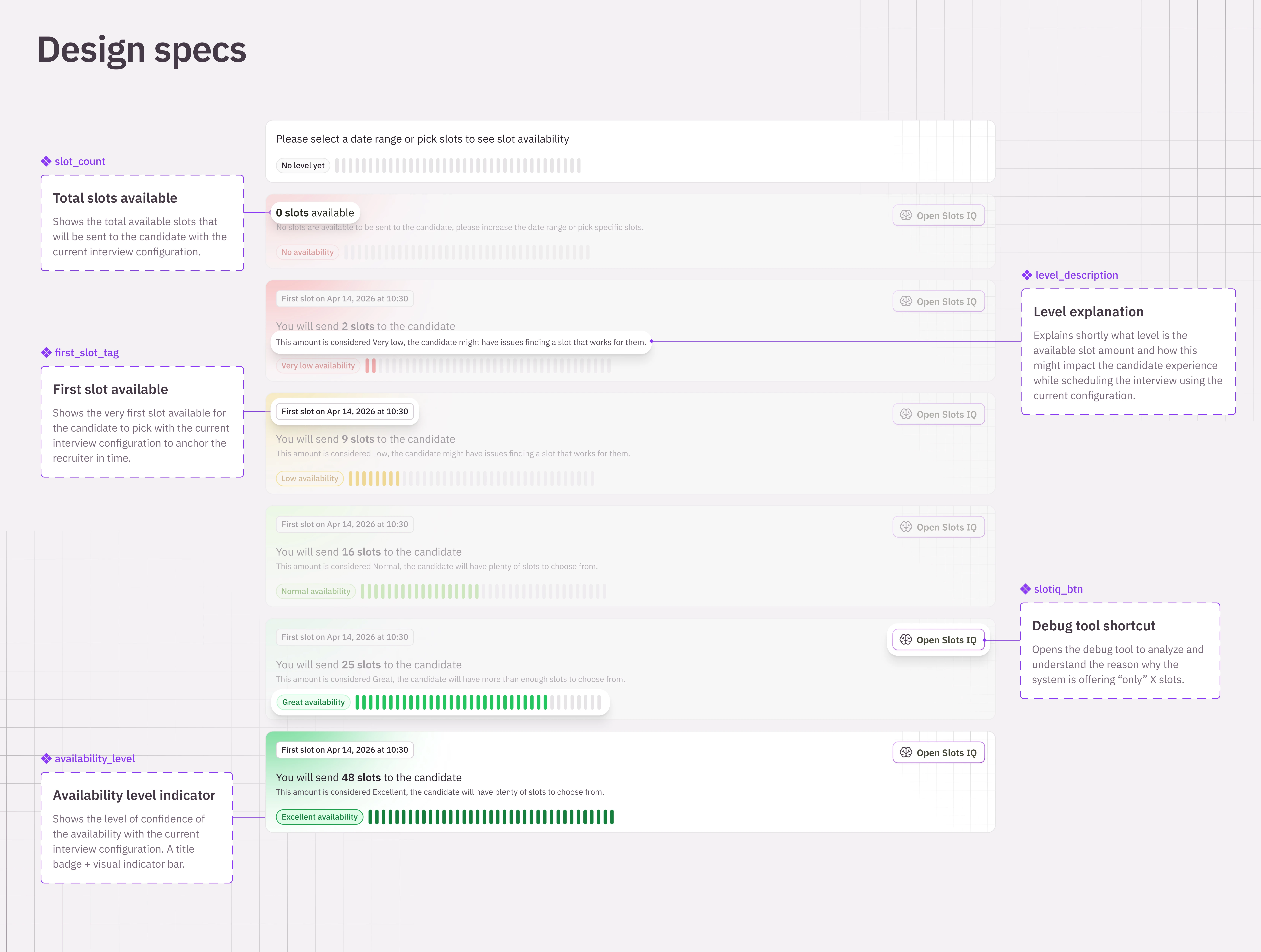
All banner states and their annotated components
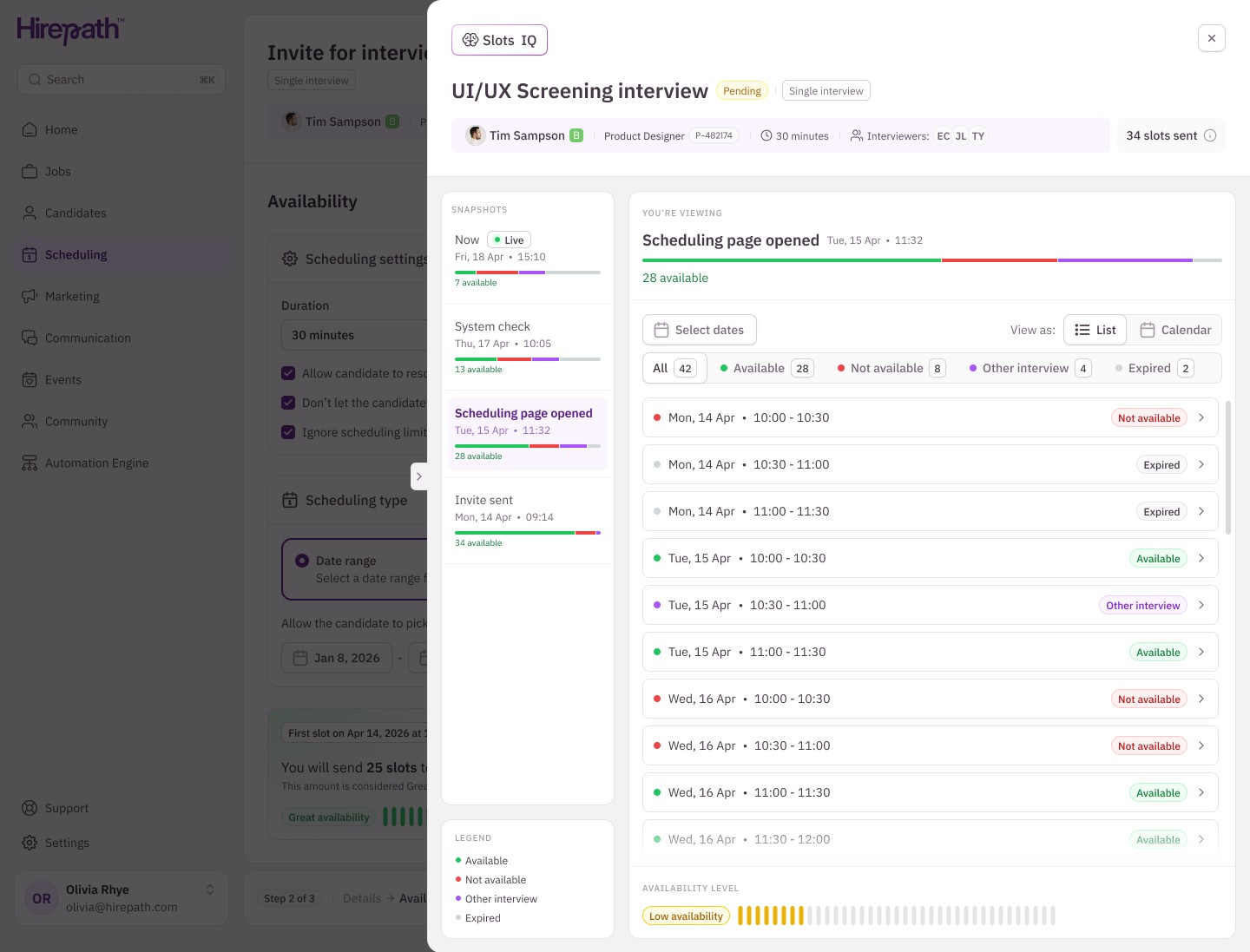
Default list view: "Scheduling page opened" snapshot selected, showing full slot breakdown
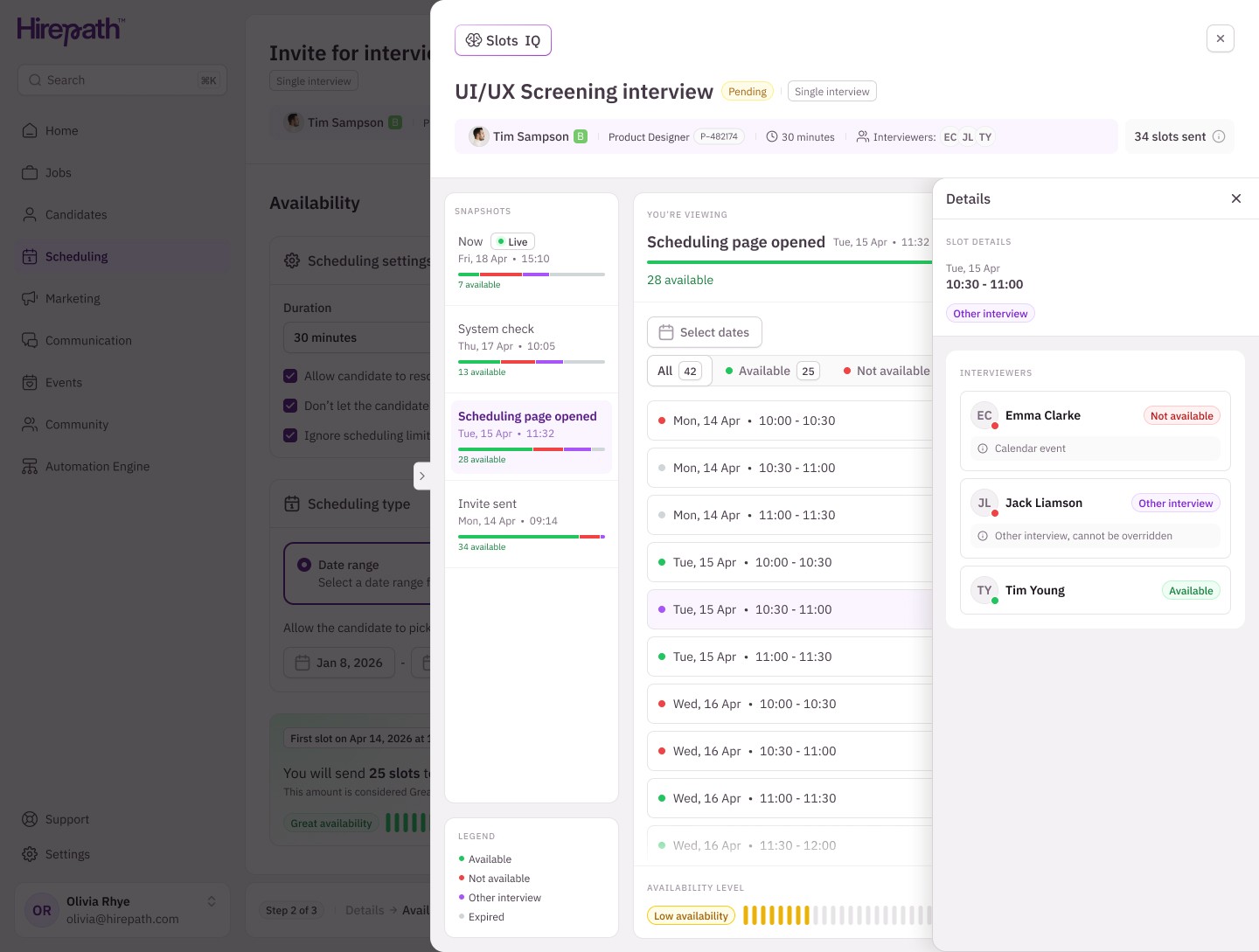
Slot detail panel: per-interviewer availability with individual reasons for a single slot
Video presentation
Calendar interaction — switching views, selecting a chunk, drilling into slot details
Video presentation
Navigating through snapshots — availability degrading over time across all four checkpoints
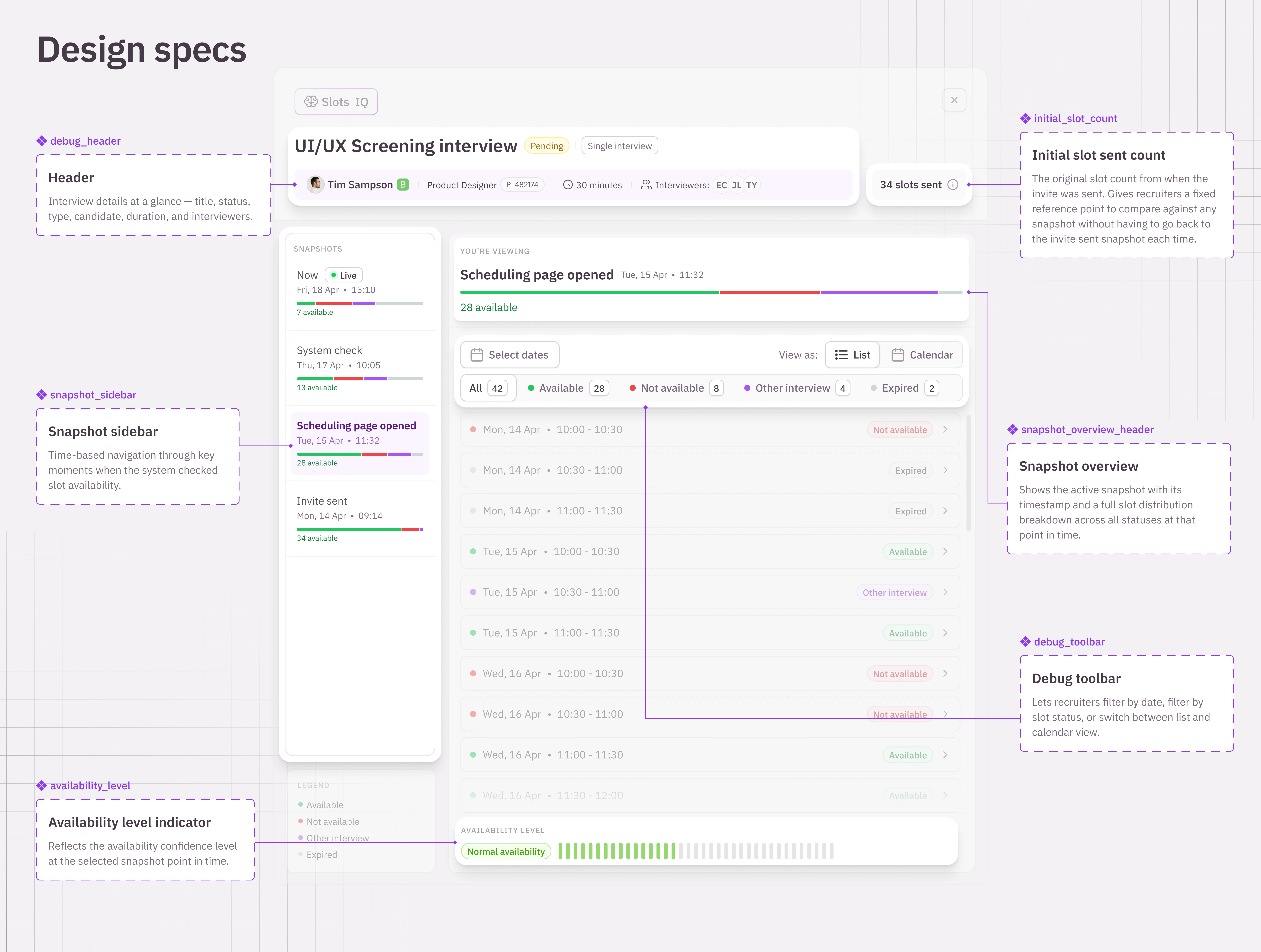
Annotated components across the Slots IQ interface